Choose what is right for you

 
Free
No Rental
|

40
LIVE TV Channels
  • Catch-up missed programs up to 3 days
  • Standard Data Charges apply
PLAY Plus
Rs. 278
Per month

126
LIVE TV Channels
  • Mobile only plan
  • Catch-up missed programs up to 3 days
  • Selected Movies & Shows available with the Plan
  • Standard Data Charges apply
Free
No Rental
|

40
LIVE TV Channels
  • Catch-up missed programs up to 3 days
  • Standard Data Charges apply
PLAY Smart
Rs. 988
Per month(inclusive of Tax)

126
LIVE TV Channels
  • Smart TV + Mobile Plan
  • Catch-up missed programs up to 3 days
  • Selected Movies & Shows available with the Plan
  • Standard Data Charges apply
Download Dialog Play App

To use the Dialog Play App,
User should have a Smart Phone with Android Version 9 and above | iOS 14 or higher

Download Dialog Play App
LG webOS Samsung Smart TV Tizen Google TV Android TV

To use the Dialog Play App,
User should have a Smart TV with Android Version 9 and above | webOS 5.0 or higher |
Tizen OS 5.5 or higher

Take Your TV Anywhere

Stream all your favourite shows, movies and live sports directly to your mobile phone or secondary Smart TV using your existing Dialog TV connection! Never miss a moment, whether you're at home or on the go. It's the same great content, now with the ultimate convenience of mobile and secondary device viewing.

Movies, dramas & shows
on-demand.

Discover all your favourite shows from streaming services including JioHot Star, CinemaWorld, Dialog PLAY Sinhala Cinema, and more – all inside one app

Rs. 299
(per month)
Free
Rs. 399
(per month)
Rs. 399
(per month)
Rs. 499
(per month)
Rs. 399
(per month)
Free

Easy Steps to Setup

Ready to Set up your TV? Let's get you started.


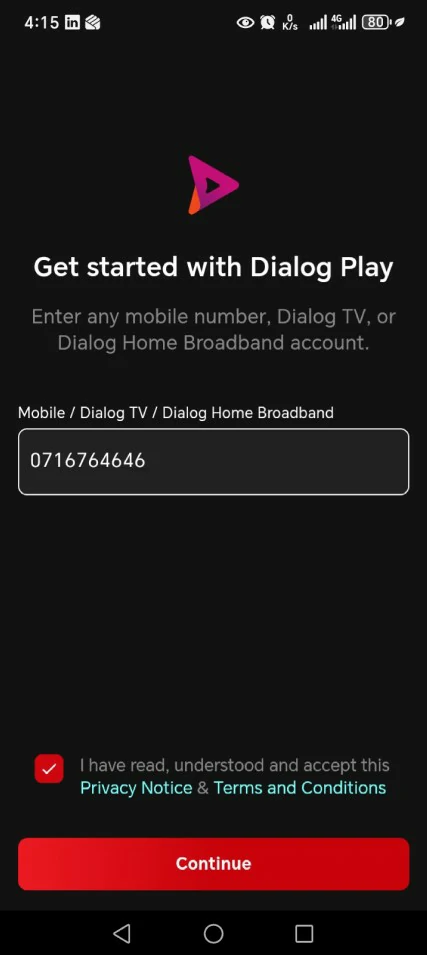
Download Dialog Play from Google Play or App Store, open it, and follow the screens

 
Setup Screen
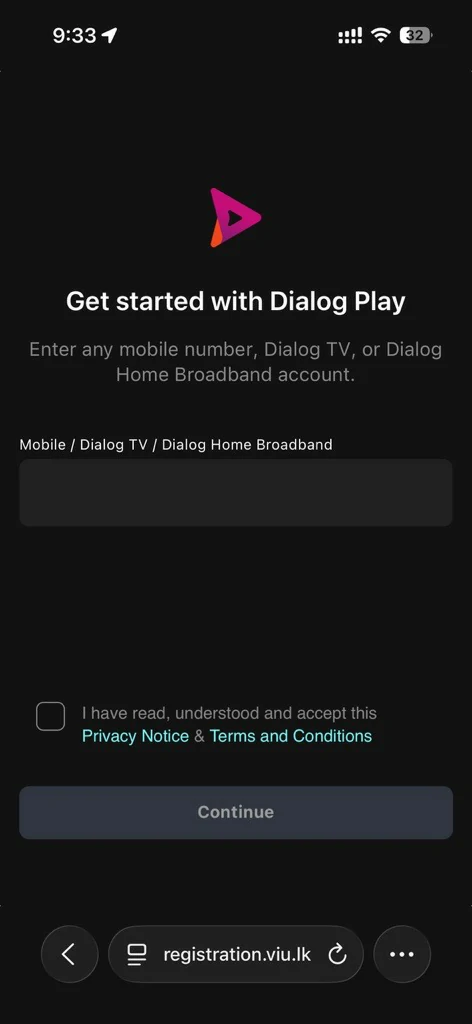
01

Enter your number, tick the Terms box, tap Continue

Link Bank Screen
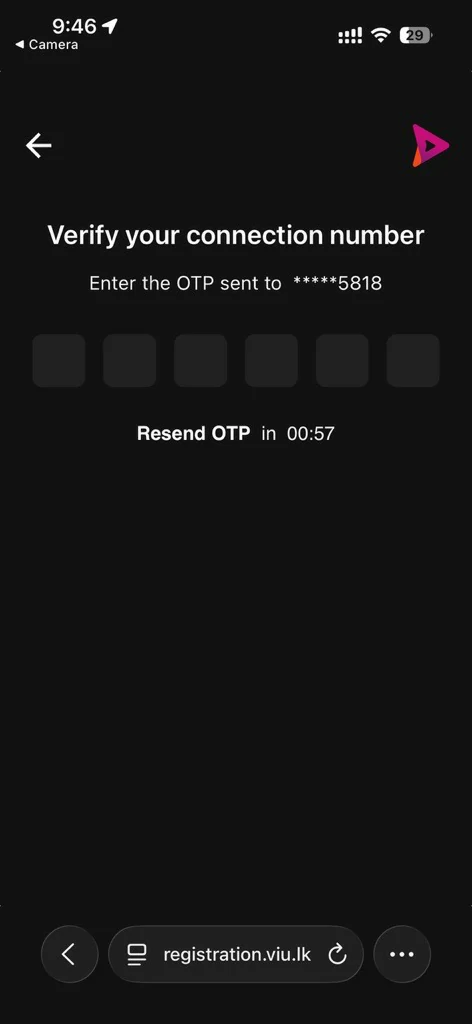
02

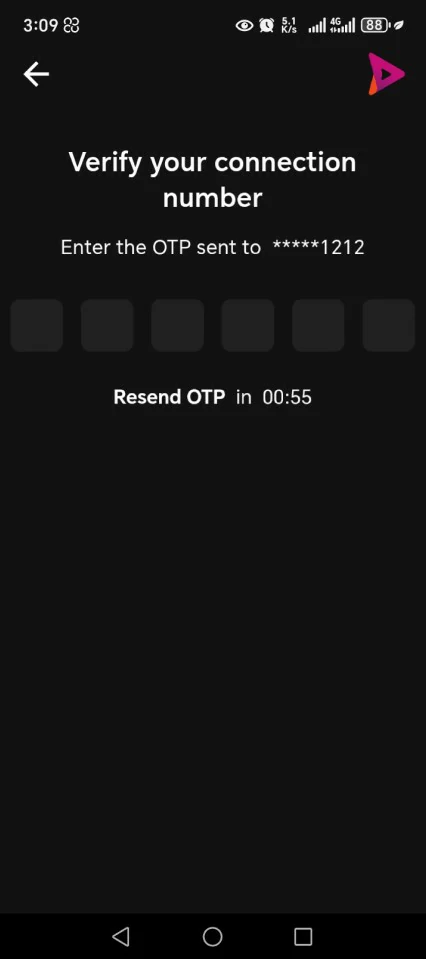
Enter the 6-digit OTP we text you

Success Screen
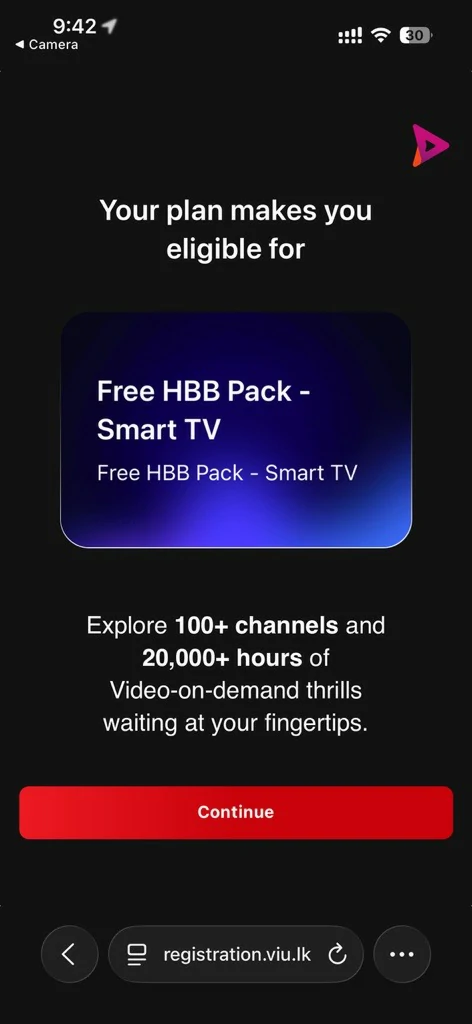
03

See the plan you're eligible for, tap Continue

Success Screen
04

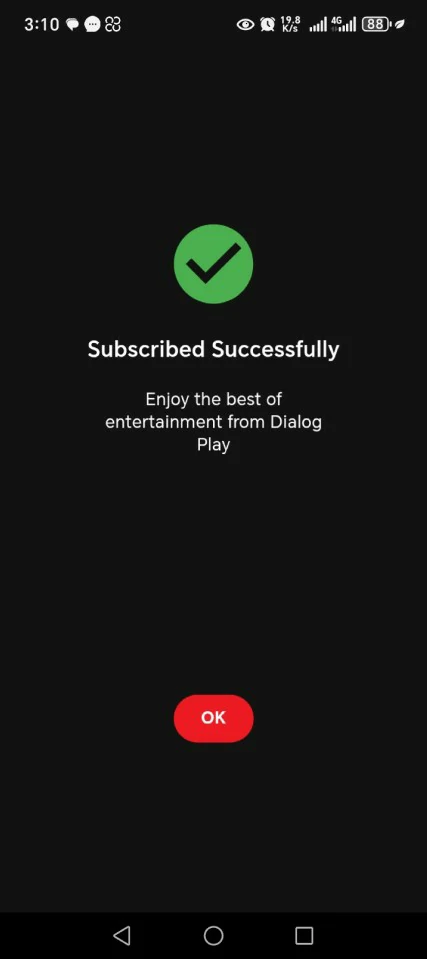
Subscribed, Tap OK

Success Screen
05

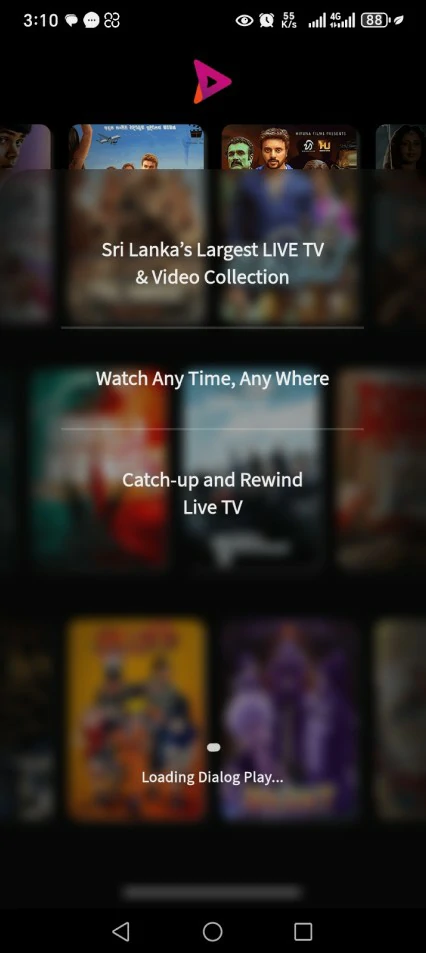
Wait a moment while Dialog Play loads

Success Screen
06

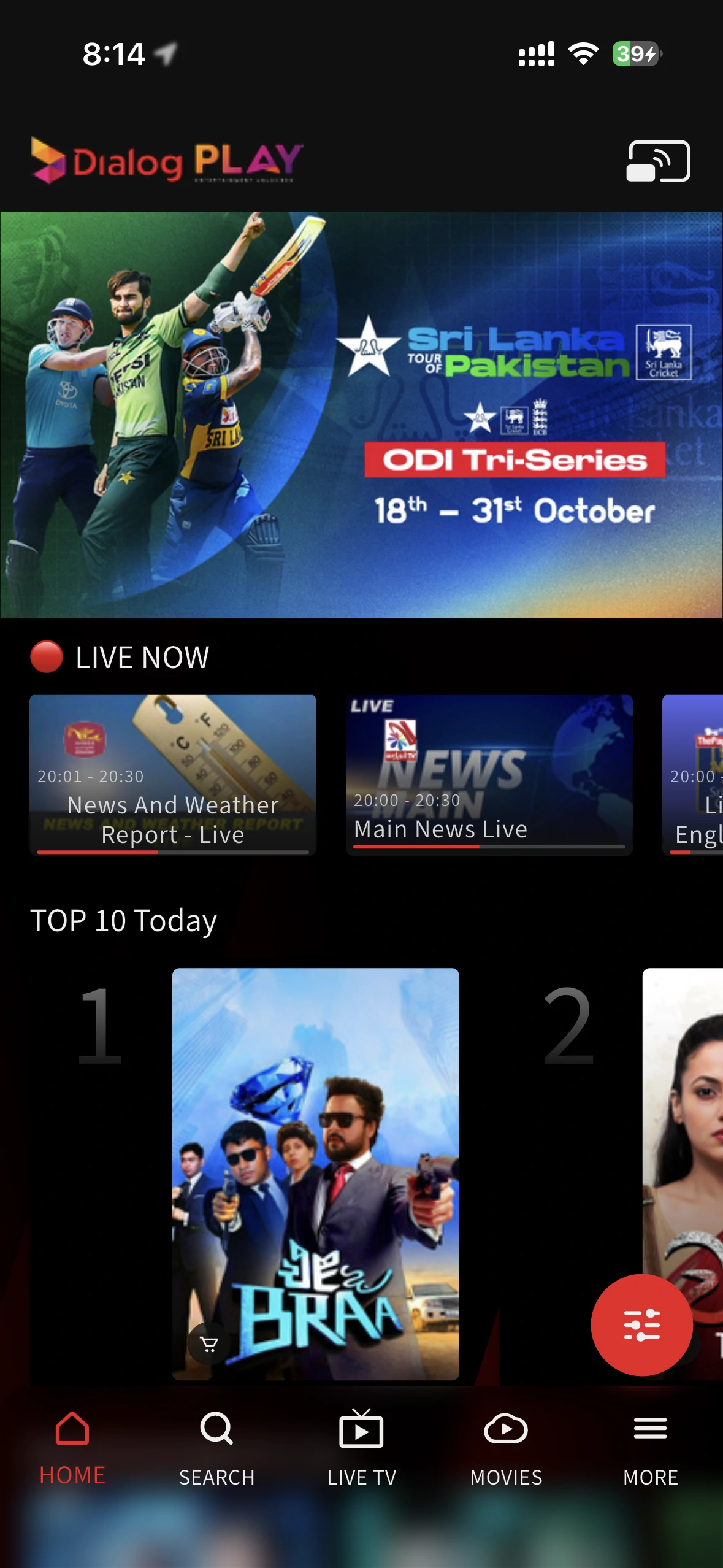
You're on the Home page. Start watching

Install Dialog Play from your TV's app store and open it. No typing with the remote

 
Setup Screen
01
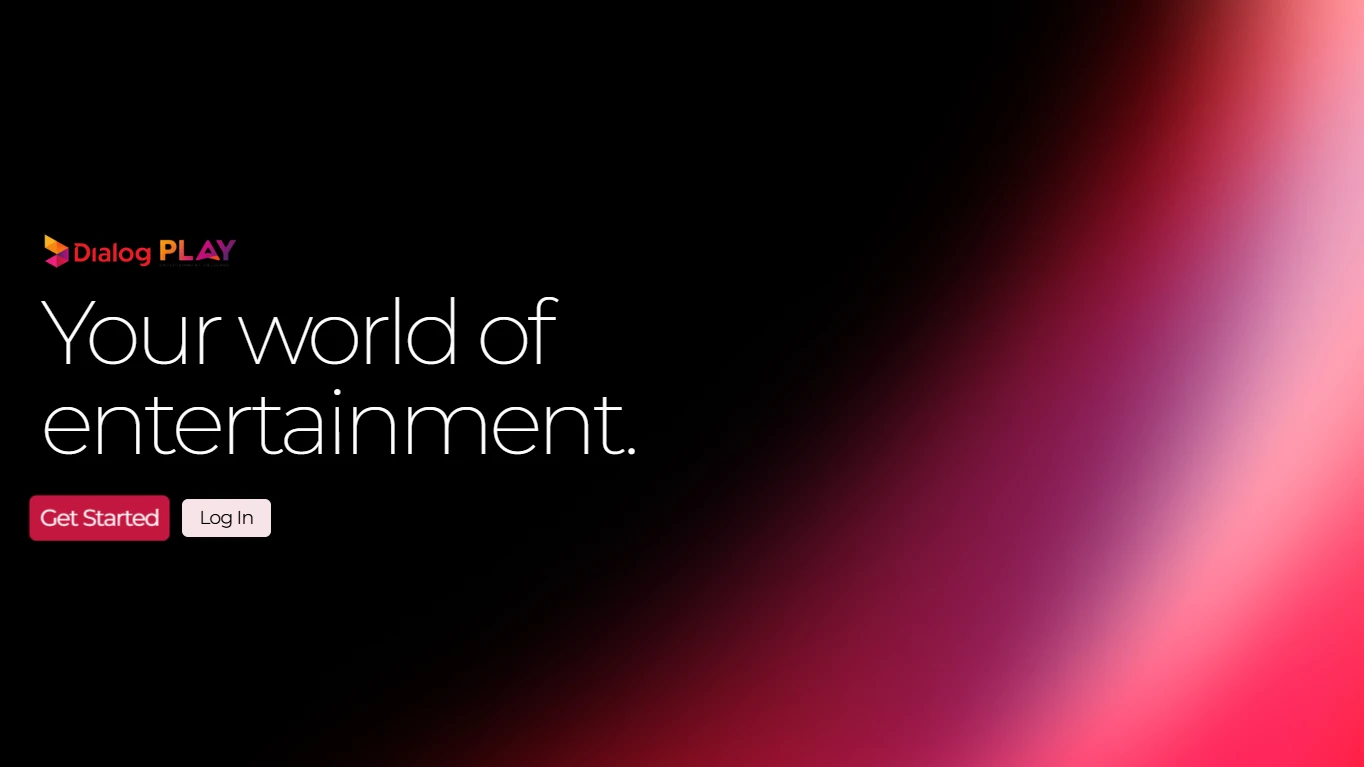
Select Get Started

The welcome screen opens when you start the app.

Setup Screen
02
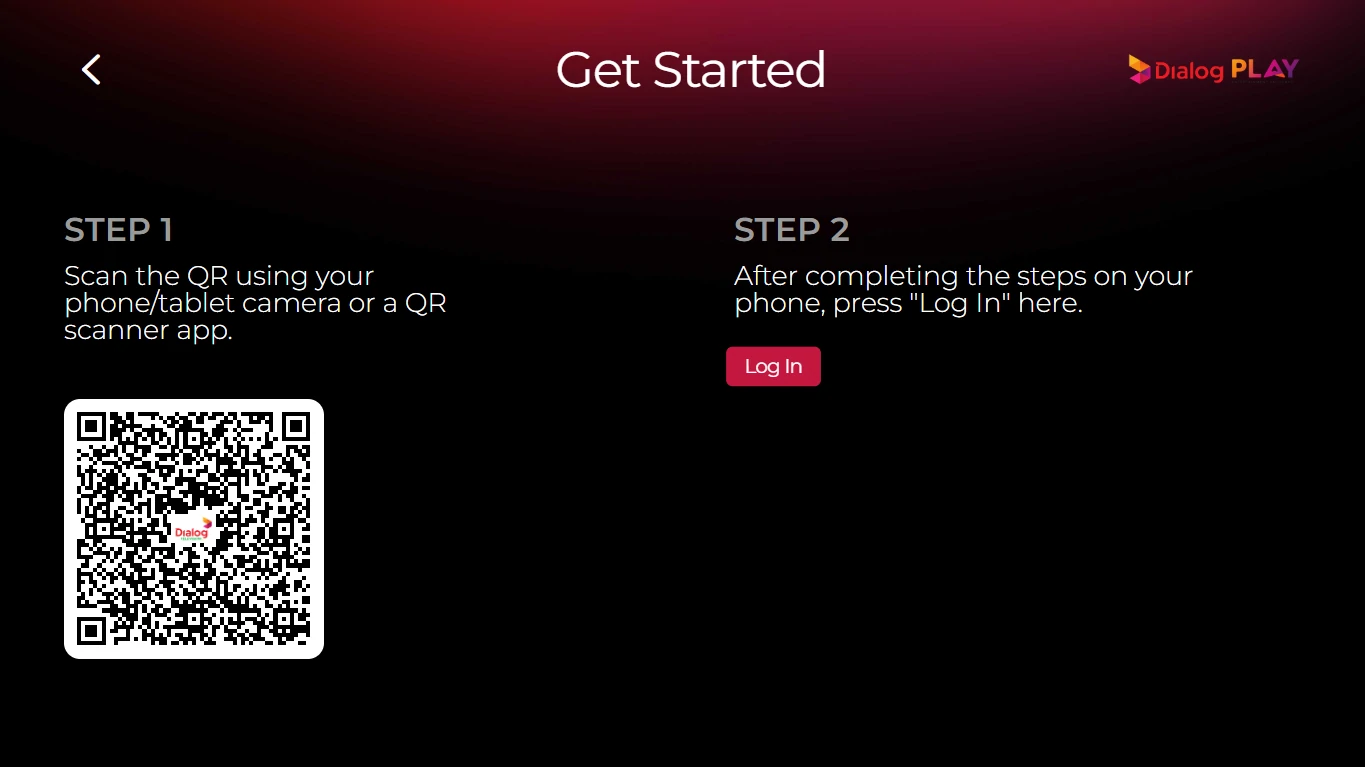
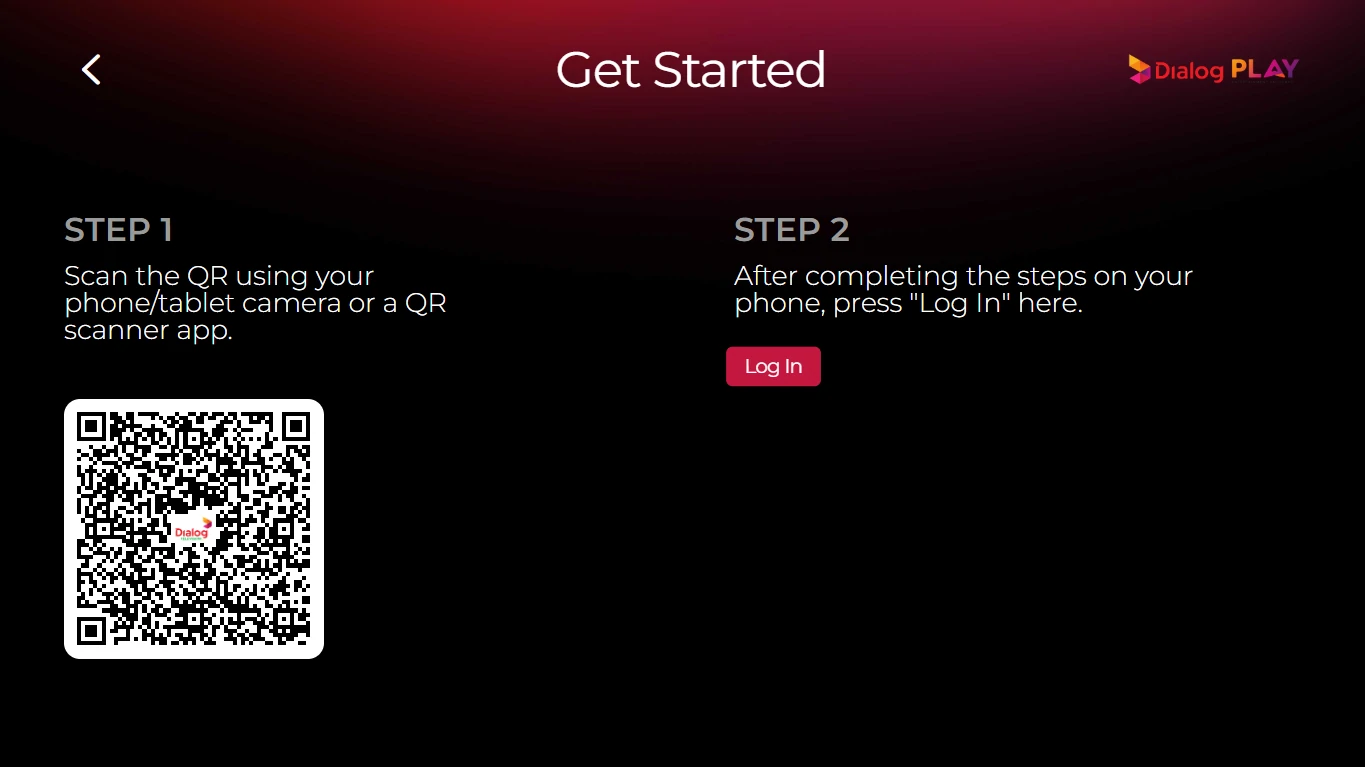
A QR code appears

Keep this screen open while you use your phone.

Setup Screen
03
Scan the QR code with your Phone

Use the camera or a QR scanner app, then tap the link to open the sign-in page.

Setup Screen
04

Enter the number, tick the Terms box, tap Continue

Setup Screen
05

Enter the 6-digit OTP we text you

Setup Screen
06

See the plan you're eligible for, tap Continue

Setup Screen
07

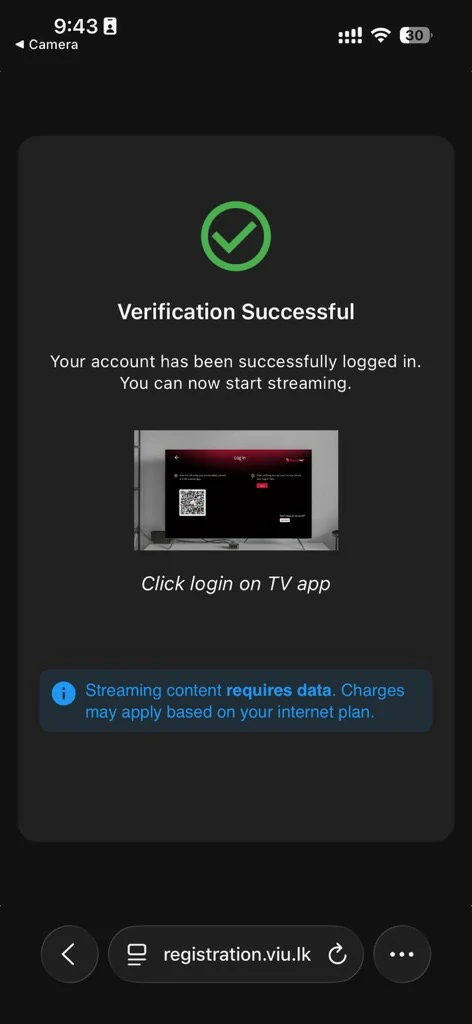
Wait for Verification Successful

Setup Screen
08
Back on the TV, Press Log IN

Your plan and channels are ready.

Experience the best of TV with
Dialog PLAY

அடிக்கடி கேட்கப்படும் கேள்விகள்

How can I collect a gift I won?

How to check my postpaid bill?

Getting a credit loan?

Newest apple devices available in dialog