IMPORTANT NOTICE : Never share personal details, OTPs, or credit card numbers with anyone. Legitimate businesses will never request this information by phone, text message, or email. If someone is asking — it’s probably a scam.


STAY ALERT!
Scammers pretend to be someone you trust – like your mobile service provider, law enforcement, the tax office, or even a family member. They trick you through calls, messages, emails, or data connections to steal money, personal information, or account access.
As part of our ongoing efforts to enhance digital safety, we have introduced an initiative with advanced network-level safeguards aimed at helping reduce the risk of digital scams and improve customer awareness. This initiative focuses on strengthening protection across multiple touchpoints, while supporting customers in making more informed decisions when engaging with digital communications.
The first feature to be introduced is the “DIALOG WARNING – SPAM” SMS label. This label is added to SMS messages that the system identifies as likely to be spam, based on patterns such as sending behaviour, message characteristics, and suspicious links.
While these safeguards continue to evolve, customers are encouraged to remain vigilant and report any suspicious messages, calls, or links via Report Scam or WhatsApp 0777 678 678.
Trending Scams
Learn the patterns - Protect yourself.
SMS
Protecting Your Messages
Stay informed and alert - learn how to spot and stop the latest SMS scams.
FAQ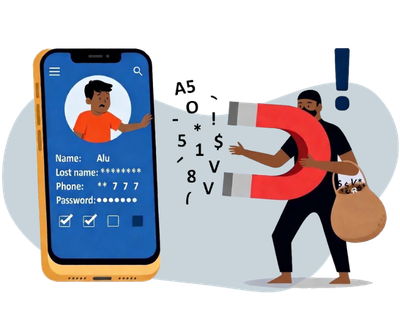
SMS
Protecting Your Messages
Stay informed and alert - learn how to spot and stop the latest SMS scams.
FAQ
Parcel Delivery Scams
Scammers sending fake messages alleging to be from the post office or a courier service, falsely claiming that a delivery attempt for your package has failed, and requesting confirmation of your personal details.
Learn more
Mega Wasana Winner Scams
Scammers send SMSs pretending to be Dialog, claiming you have won a Dialog Mega Wasana prize of LKR 1 million. They then request your personal information for “verification” — and use this data to access your bank accounts and transfer the money.
Learn moreVOICE CALLS
Protecting Your Calls
Don’t answer to fraud — recognise voice scams and stay in control.
Mega Wasana Winner Scams
Scammers are impersonating Dialog call center agents, falsely claiming that you have won the Dialog Mega Wasana prize of LKR 2 million. As part of the scam, they request personal details such as your full name and NIC number, claiming it is needed to verify your identity.
Learn more
Bank Account Suspended Scams
Scammers impersonate your bank’s customer support agents and claim that your account has been suspended due to suspicious transactions. They will then ask you to "verify your identity" by requesting personal information.
Learn more
WEB
Protecting Your Browsing
Stay alert — spot fake websites, pop-ups, and online traps before they fool you.
WEB
Protecting Your Browsing
Stay alert — spot fake websites, pop-ups, and online traps before they fool you.
Phishing Websites
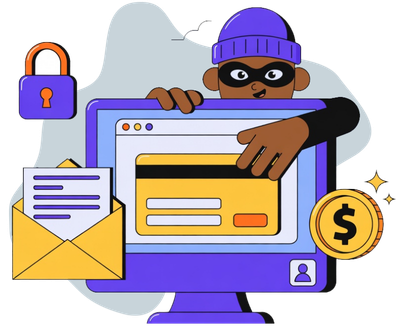
Scammers create fake websites that look identical to legitimate
ones, such as your bank, social media platforms, or even Dialog’s
official portal, to trick you into entering your login
credentials, personal details, or financial information.
Always double-check the URL for misspellings or extra characters.
Malicious Pop-ups/Ads
While browsing, you might encounter pop-up windows or advertisements that claim you've won a prize, your device is infected, or you need to update software. Clicking these can lead to malware downloads or redirect you to phishing sites.
Learn moreImpact at a Glance
A snapshot of Dialog’s ongoing efforts to keep you safe.
Types of Scams
Learn how scammers operate — and how each method targets you.
SMS
Voice Calls
Data Networks
Smishing is a type of scam where fraudsters send false text messages pretending to be from trusted sources such as your bank, a social media platform, a delivery company, or even your mobile service provider. These messages often contain malicious links or phone numbers, attempting to trick you into revealing personal, financial, or login information.
Scammers use this method to
- Steal your bank or credit card details
- Gain access to your online accounts
- Trick you into downloading malware onto your phone
How to Stay Safe
- Do not click on links in messages from unknown or suspicious sources
- Verify with the source by calling the company using a number from their official website
- Report suspicious messages to Dialog
- Never share your OTP or PIN with anyone — not even someone claiming to be from Dialog
What to watch out for

False urgency or fear tactics
“URGENT: Your account is locked!”

Requests for Sensitive Information
no legitimate company will ask for your passwords, PINs, or banking details, personal information via SMS

Suspicious Links
(malicious: dilaog.lk vs valid: dialog.lk) Always check if the URL is from a valid or official domain.
Scammers often use shortened or misspelled domains

Too good to be True Offers
messages like “You’ve won LKR 1 million!” or “You have received a gift box
Vishing or Voice Phishing involves scammers calling you and impersonating respected or famous figures, your bank, Dialog customer service, a government agency or even a loved one. The goal is to trick you into revealing confidential information or making a payment.
Scammers use this method to
- Steal your bank account or card details
- Trick you into revealing OTPs or PINs
- Gain remote access to your device
- Pressure you into making an eZ Cash or bank transfer
How to stay safe
- Hang up immediately if a call feels suspicious or aggressive
- Do not share your OTP, PIN, or bank details with anyone over the phone
- Report scam calls to Dialog
What to watch out for

Unsolicited calls claiming urgent action is required

Requests for personal or banking information over the phone

Demands for money transfers, eZ Cash deposits, or sharing OTPs

Callers who pressure you to act quickly or keep the call confidential
Scammers may
- Claim your account is blocked, or suspicious transactions have been detected
- Say you’ve won a prize (e.g., “Dialog Mega Wasana”) and need you to provide your NIC or make a deposit to claim it
- Pose as technical support, asking you to install apps or grant access to your phone
With the increasing use of smartphones and apps, scammers now target users through the internet by pushing fake apps, malicious ads, or phishing websites. These tactics can infect your device, steal data, or make you unknowingly subscribe to fraudulent services.
These scams may
- Trick you into downloading fake apps that look like banking, delivery, or even Dialog apps
- Use pop-up ads or redirects while browsing to install malware or subscribe to unconsented services
- Lead you to phishing websites that mimic official portals and ask for login credentials
How to stay safe
- Download apps only from official stores (Google Play Store or Apple App Store)
- Double-check URLs before entering personal information
- Use antivirus or mobile security apps to scan for threats
- Avoid clicking on ads that promise free data, prizes, or urgent warnings
- Keep your phone's operating system and apps updated
What to watch out for

Apps from unofficial sources (e.g., APK files shared via SMS or links)

Websites that look fake, with unusual spelling or odd-looking logos

Phone performance issues after installing a new app (a sign of malware)

Unexpected prompts asking for excessive permissions (e.g., access to messages, contacts, or files)
If you suspect a scam
reportFrequently asked questions
This is a safety feature that helps identify SMS messages that may be suspicious or potentially fraudulent. When detected by our systems, a ‘DIALOG WARNING: SPAM’ label is added before the message is delivered to you.
This feature was introduced to help protect customers from the increasing number of scam and fraud messages, providing an added layer of awareness when receiving SMS.
You may see a ‘DIALOG WARNING: SPAM’ label at the beginning of certain messages, which the system identifies as likely to be spam.
No. It is a label applied when the system detects patterns commonly associated with scams, to help you stay cautious when engaging with such messages.
No. While we continuously enhance our detection capabilities to identify evolving scams and suspicious communications, some suspicious messages may not be flagged
For this reason, users should always exercise caution when interacting with unexpected or suspicious messages, even if no warning is displayed.
- Do not reply or click on links
- Do not share personal information
- Report the message for review by filling in the form here
- You may also WhatsApp 0777 678 678 for guidance
No. This feature applies only to standard SMS and does not impact messaging apps.
Messages may be tagged if they match patterns commonly associated with spam, such as repeated sending behaviour, suspicious links, or similarities to known scam messages. In some cases, bulk messages or messages sent in unusually high volumes that exceed set thresholds may also be flagged to help protect customers.
No. The system works automatically by identifying patterns such as sending behaviour, message characteristics, suspicious links, and bulk messaging activity to detect potential spam. Customer privacy is protected at all times, and message content remains unchanged.
Common signs include:
- Urgent or threatening language
- Requests for passwords, OTPs, or personal information
- Unknown or suspicious links
- Offers that seem too good to be true
The system detects messages based on patterns commonly associated with fraudulent activity. As such, some messages may not be tagged if they do not meet certain detection criteria. If you receive a message that appears suspicious, please treat it with caution:
- Do not reply or click on links
- Do not share personal information
- Report the message for review by filling in the form here
- You may also WhatsApp 0777 678 678 for guidance.
The label is applied when the system detects patterns commonly associated with spam. In some cases, genuine messages may be flagged if they match these patterns. If you believe the SMS has been flagged incorrectly, you can request a review by filling out the form here
When reporting, please include the phrase 'Falsely tagged' in the remarks section.
Reported messages are analyzed to identify new scam patterns, improve detection accuracy, and strengthen protection for all customers.
Yes. Regular messaging is not affected. However, spam-like messaging behavior may be flagged or restricted.
If you send messages in bulk for commercial purposes, it’s recommended to use approved Commercial SMS services to ensure delivery and avoid being flagged. To explore our Enterprise / SME solutions, visit https://business.dialog.lk/products-services/toolsapps/e-sms/
Yes. The system evaluates messages from both local and international numbers, including masked sender IDs.
No, this feature is provided free of charge to help keep customers safe from scam and fraud messages.
No, this feature is enabled to help protect all customers and cannot be switched off.
No. If you are using a Dialog / Airtel number, our spam features will be active for you by default. There’s nothing you need to do – no app to download and no extra charges.
Yes, the spam feature works on any phone that has SMS features.